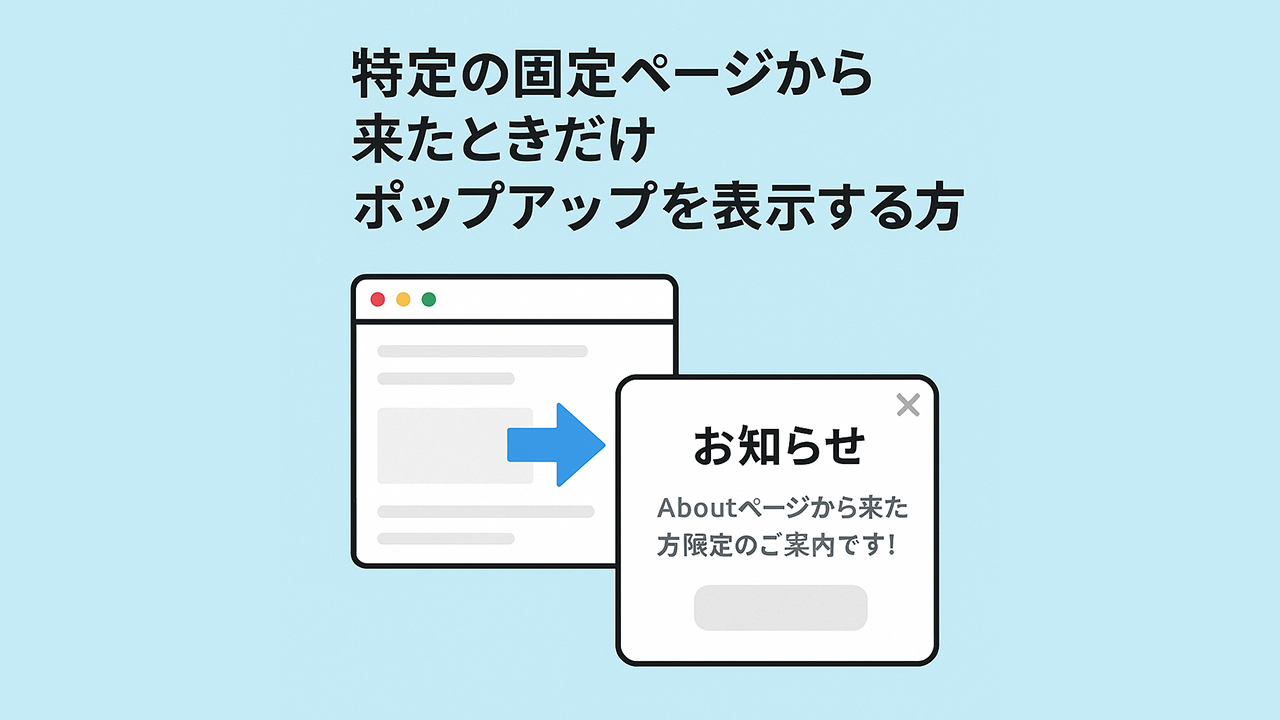
特定の固定ページから来たときだけポップアップを表示する方法【JavaScript】
「キャンペーンLPに訪問した人が別のページに移動したときだけポップアップを出したい」
「固定ページAから固定ページBへ移動したときにお知らせを表示したい」
こんな要望は、JavaScriptの document.referrer を使えば簡単に実現できます。
今回は、WordPressの固定ページを例に解説します。
1. document.referrer とは?
document.referrer は「直前に見ていたページのURL」を取得できるプロパティです。
例えば、ユーザーが
https://sample.com/about/から
https://sample.com/contact/に移動した場合、contact ページで document.referrer を確認すると、
https://sample.com/about/が返ってきます。
これを条件分岐に使えば、「特定のページから来た場合だけポップアップを表示」できます。
2. 固定ページから来た場合だけポップアップを出すコード例
完全一致で判定する場合
<script>
window.addEventListener("DOMContentLoaded", function () {
  const ref = document.referrer;

  // 固定ページ「about」から来た場合のみ
  if (ref === "https://sample.com/about/") {
    alert("Aboutページから来たのでポップアップを表示します!");
  }
});
</script>
部分一致で判定する場合
固定ページのURLに末尾スラッシュ / やクエリパラメータが付くこともあるため、includes を使うとより柔軟です。
if (ref.includes("/about/")) {
  alert("Aboutページから来た場合のみ表示!");
}
3. 複数の固定ページを条件にする
複数の固定ページを対象にしたい場合は OR 条件でつなげばOKです。
if (ref.includes("/about/") || ref.includes("/service/")) {
  alert("About または Service ページから来たときだけ表示!");
}
4. 外部サイトから来た場合だけ表示する方法
逆に「外部サイトから来たときだけ表示したい」ケースもあります。その場合は、自サイトのドメインを判定から除外します。
if (ref && !ref.includes(location.hostname)) {
  alert("外部サイトからの訪問ですね!");
}
5. 注意点
document.referrerは 直前のページのURL しか取得できません。- ブックマークから直接アクセス、URL直打ち、リロードした場合は
referrerが空になります。 - HTTPS → HTTP への遷移では
referrerが取得できないことがあります(セキュリティ仕様)。
モーダルポップアップのサンプルコード
<style>
/* ===== モーダルの基本スタイル ===== */
.modal-overlay {
display: none; /* 初期は非表示 */
position: fixed;
top: 0; left: 0; right: 0; bottom: 0;
background: rgba(0, 0, 0, 0.6);
z-index: 9999;
}
.modal-content {
background: #fff;
max-width: 400px;
margin: 100px auto;
padding: 20px;
border-radius: 10px;
text-align: center;
position: relative;
box-shadow: 0 5px 15px rgba(0,0,0,0.3);
}
.modal-content h2 {
margin-bottom: 15px;
font-size: 20px;
}
.modal-content p {
margin-bottom: 20px;
}
.modal-close {
position: absolute;
top: 10px; right: 10px;
background: #ccc;
border: none;
border-radius: 50%;
width: 30px; height: 30px;
font-size: 18px;
cursor: pointer;
}
</style>
<!-- ===== モーダル本体 ===== -->
<div class="modal-overlay" id="popupModal">
<div class="modal-content">
<button class="modal-close" id="modalClose">×</button>
<h2>お知らせ</h2>
<p>Aboutページから来た方限定のご案内です!</p>
</div>
</div>
<script>
window.addEventListener("DOMContentLoaded", function () {
const ref = document.referrer;
const modal = document.getElementById("popupModal");
const closeBtn = document.getElementById("modalClose");
// 固定ページ「about」から来た場合のみ表示
if (ref.includes("/about/")) {
modal.style.display = "block";
}
// 閉じるボタンで非表示
closeBtn.addEventListener("click", function () {
modal.style.display = "none";
});
// 背景クリックでも非表示
modal.addEventListener("click", function (e) {
if (e.target === modal) {
modal.style.display = "none";
}
});
});
</script>
動作イメージ
https://sample.com/about/→https://sample.com/contact/に移動すると、contactページでモーダルが出ます。- 「×」ボタンか背景クリックで閉じることができます。
- 別のページから来た場合は表示されません。
💡 補足
- 表示条件の
/about/は任意の固定ページURLに変更してください。 - デザインはCSSを編集すれば自由にカスタマイズ可能です(背景色・幅・ボタン色など)。
- WordPressで使う場合は 共通ヘッダー or 該当ページのテンプレート に直接埋め込めばOKです。
まとめ
- 固定ページのURLを
document.referrerで判定すれば、「特定のページから来たときだけ」ポップアップを出せる。 - URL完全一致よりも
includesで部分一致にした方が柔軟。 - 外部サイトからの流入だけ検知することも可能。
キャンペーンやLP限定の演出、会員登録後の誘導など、応用範囲は広いです。
ぜひ活用してみてください。